- Claude Design
- AI-powered
- Scenario-based
Inside the Call: Customer Service at SoleSprint
 Overview
Customer support, practiced on the real tools
What if customer service training felt like the job itself? This immersive CRM simulation places learners in realistic voice conversations with AI customers — navigating customer records, applying return policies, and resolving issues on first contact, all while receiving personalized AI feedback that mirrors real-world performance.
 The Problem
New policies, new CRM, no place to practice
Customer service representatives at SoleSprint, a conceptual organization, were struggling to keep up with updated return policies and a new CRM system. As a result, calls took longer, customers received inconsistent information, and more issues had to be escalated instead of being resolved on the first contact. Traditional eLearning could explain the policies, but it couldn’t give learners the chance to practice using those policies while navigating the same tools they’d use on the job.
 The Solution
A simulated support floor
I designed an interactive software simulation that recreates the experience of working in SoleSprint’s customer support department. Learners log into a realistic CRM, answer AI-powered voice calls, search customer records, reference the knowledge base, and document their interactions just as they would in a live support role. After completing their calls, they receive AI-generated feedback with a score, pass/fail result, and personalized coaching — giving them a safe place to practice, make mistakes, and build confidence before handling real customers.
The ProcessBuilding the whole job into one sim
Designing for skills that overlap
To improve first-contact resolution, learners need to do more than memorize company policies. They need to gather information, navigate customer records, reference the knowledge base when they’re unsure, communicate with empathy, and document each interaction accurately — all while keeping a conversation moving. Instead of teaching these skills separately, I wanted learners to practice them together in an environment that felt as close to the real job as possible.
Building a realistic CRM
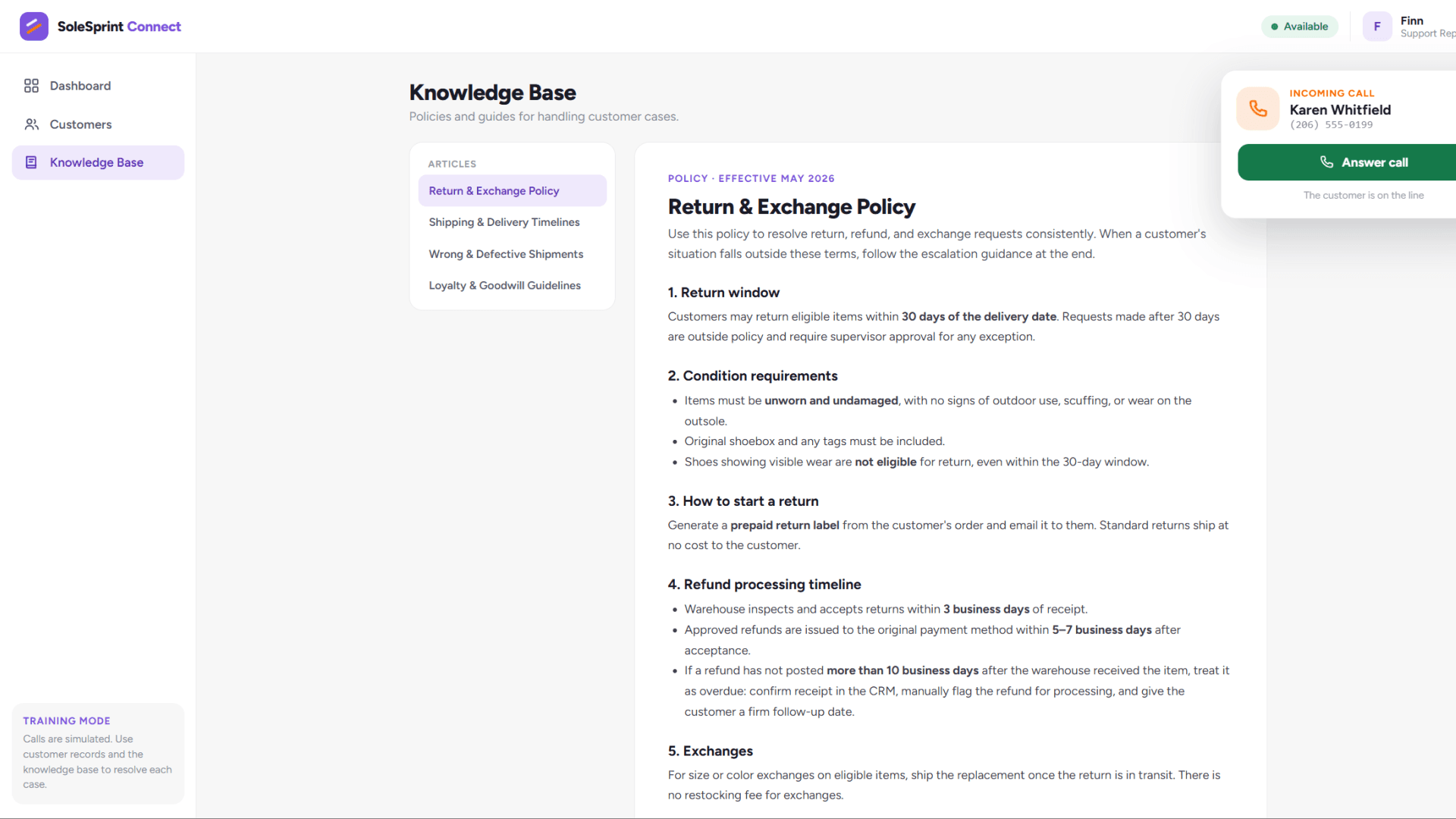
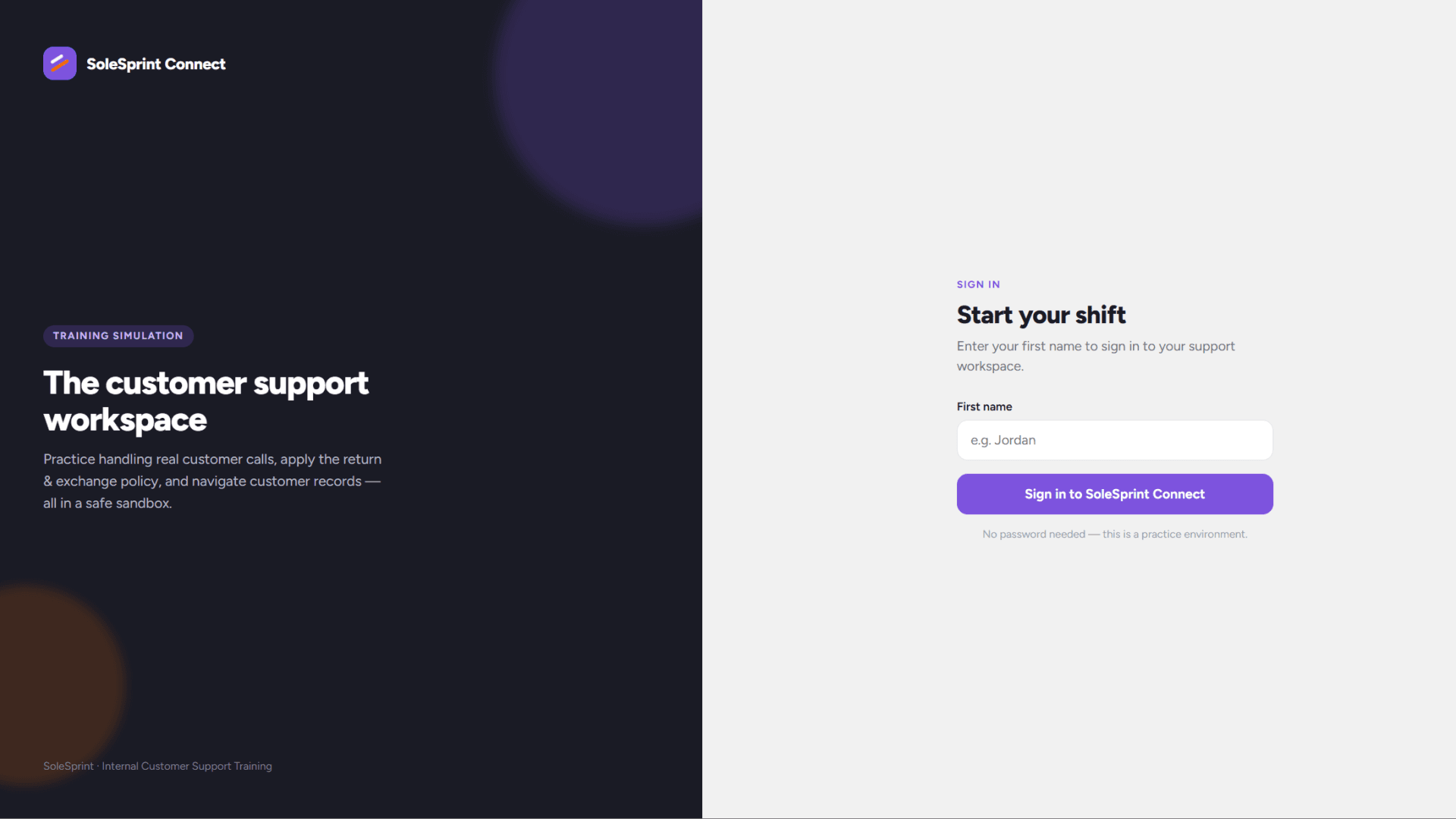
I started by designing a realistic CRM in Claude Design that looked and behaved like software a customer service representative would actually use. Rather than dropping learners straight into a conversation, I created a simple login experience that personalized the simulation before taking them to a dashboard filled with customer profiles, performance metrics, and a searchable knowledge base. The goal was to encourage learners to explore the same resources they would rely on during a real call instead of handing them the answers.
Bringing the customer to life
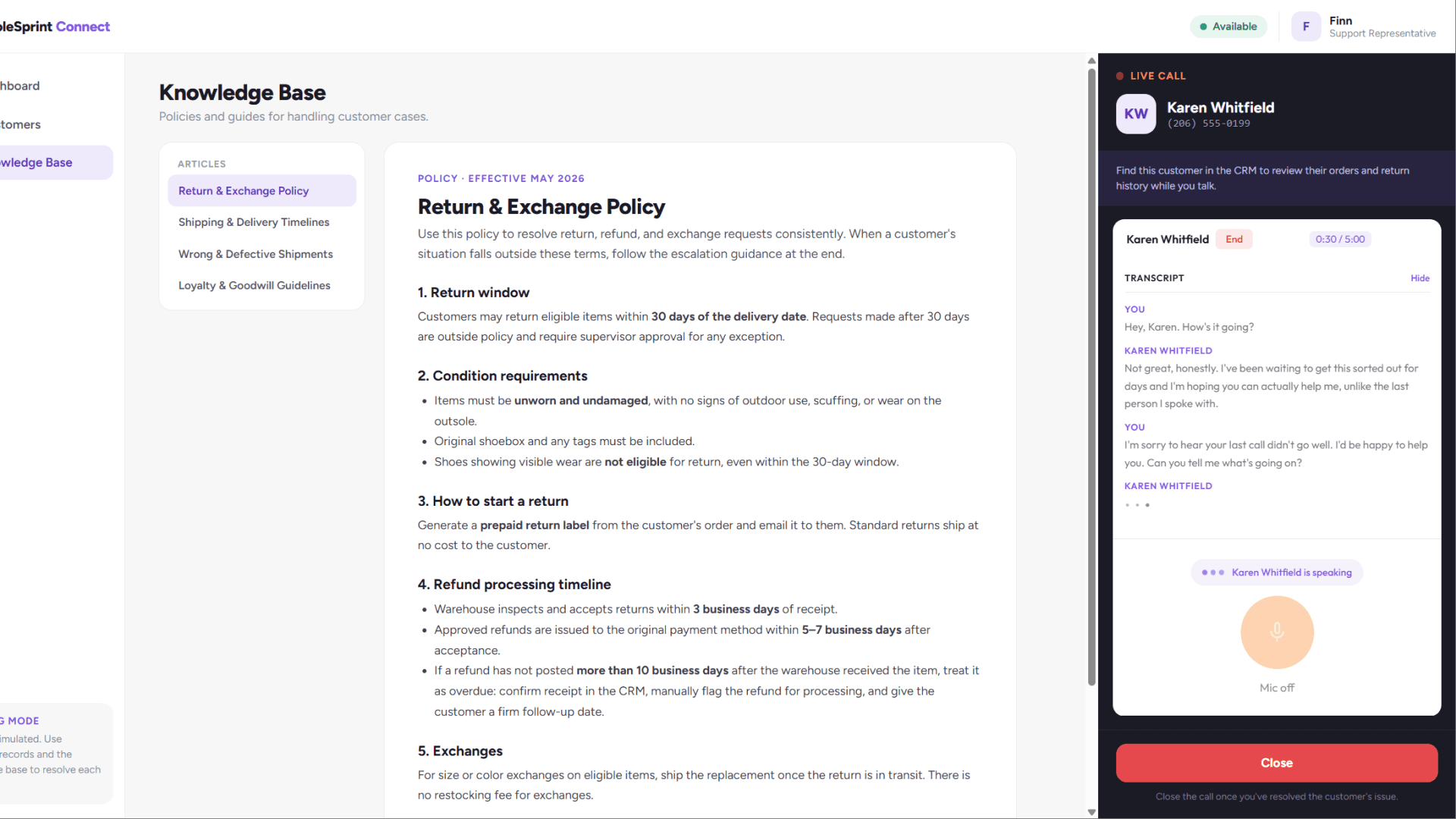
Next, I integrated AI-powered voice conversations, built with devlin.ai, directly into the CRM. As learners speak with customers, they can look up order histories, review return policies, and take notes without leaving the call. I intentionally designed the experience so learners have to decide what information they need, where to find it, and how to respond in the moment. This shifts the focus from recalling facts to practicing the decision-making and communication skills that lead to successful customer interactions.
Turning every call into a learning moment
Finally, I wanted every attempt to become a learning opportunity. After each call, learners can continue to another customer or end the simulation to review their results. They receive AI-generated feedback, a score, and a pass/fail outcome based on how they handled each conversation. Rather than simply telling learners whether they were right or wrong, the feedback explains how they performed so they can reflect, improve, and approach the next customer with more confidence.
ResultsMeasuring what matters
Because this is a conceptual project, the next step would be to pilot the simulation with a small group of customer service representatives. During the pilot, I would gather learner feedback, review AI-generated performance data, and observe where learners struggled or succeeded. Those insights would help refine the scenarios, feedback, and CRM experience before rolling the simulation out to the entire customer service team.
After full implementation, I would use the simulation results alongside business metrics to measure its impact — analyzing learner scores, pass/fail rates, and AI feedback to identify common skill gaps in the short term, then comparing the original performance metrics against the business goals six months after launch.
Target lift in first-contact resolution as reps apply policy accurately and use the CRM.
Target reduction in average case handling time back toward its prior baseline.
Target improvement in customer satisfaction, out of 5.0.
Target drop in return-related complaints above baseline.
Projected success metrics for a conceptual pilot.
TakeawaysWhat I took away
What surprised me most about this project wasn’t just how quickly it came together — it was how quickly it became something that felt genuinely authentic. Using Claude Design allowed me to build a working prototype in just a couple of hours, giving me more time to focus on the learner experience instead of spending days building the interface from scratch. Rather than creating another click-through course, I was able to build a space where learners can practice making decisions, navigating resources, and having realistic conversations before they ever speak with a real customer.
Another takeaway was how much easier SCORM Wrap made deployment. One of the biggest challenges with HTML-based projects is getting them LMS-ready while preserving learner data. SCORM Wrap made it possible to package the Claude Design project for an LMS while reporting meaningful data like scores and pass/fail status. That bridge between rapid prototyping and real-world implementation makes this workflow especially exciting because it allows AI-generated learning experiences to move beyond demos and into production-ready training.
I also recorded a walkthrough of exactly how I built this project in my YouTube video, “Claude Design + devlin.ai: Building LMS-Ready eLearning” — showing how the CRM, AI voice simulation, and SCORM packaging come together into one deployable experience.
Do you have what it takes?
Clock in as a SoleSprint rep and handle a live customer call yourself.